


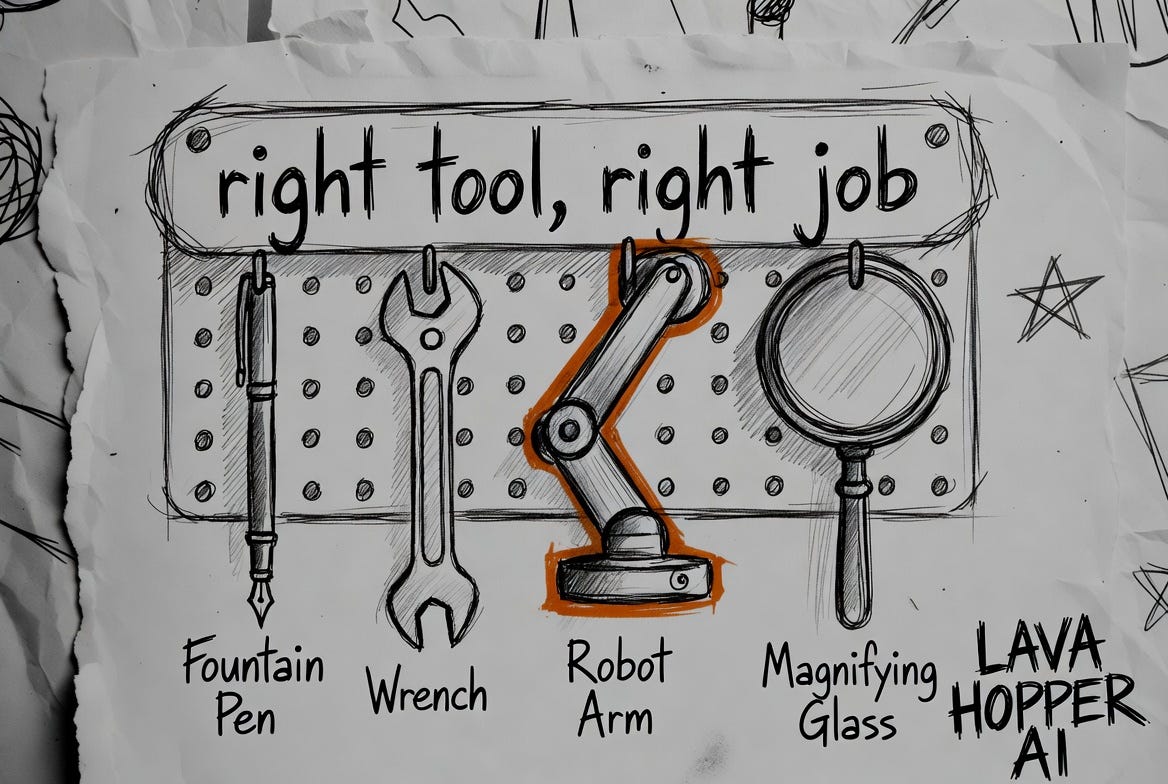
You signed up for Claude. You use the chat. It drafts your emails, summarizes your contracts, helps you think through decisions. Good value for 20 bucks.
Then someone mentions Claude Code. You assume it’s not for you because you don’t code. Wrong. Then you hear about something called Cowork, and a Chrome extension, and now there are four doors and none of them have signs.
I’ve run a business through these tools for the past 12 months. Here’s the map I wish someone had handed me at the start. For each tool: what it is, the job it’s built for, what a non-engineer does with it, and when to skip it. The skip-it part matters most. Most of the hours people waste on AI come from walking through the wrong door.
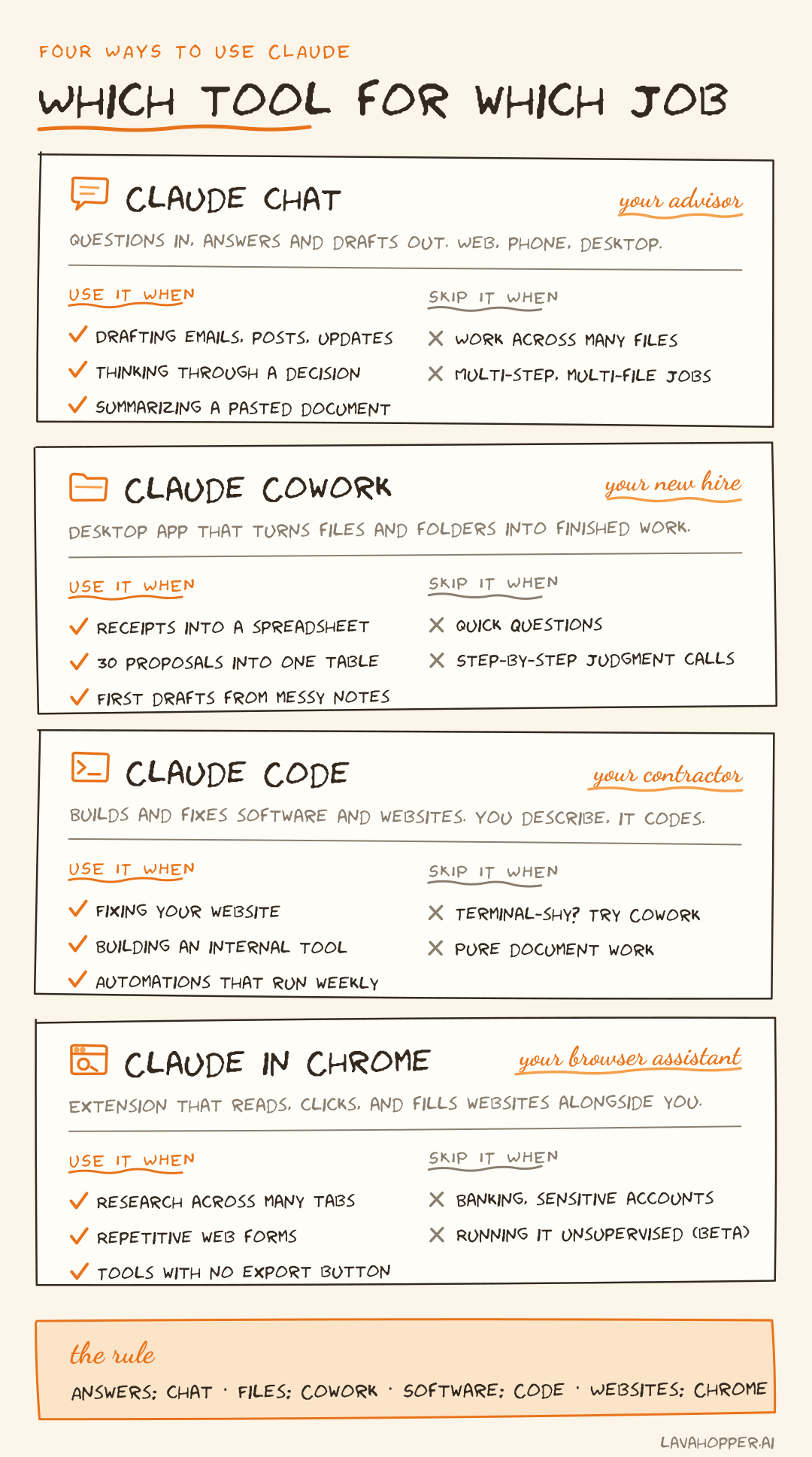
Claude chat: your advisor
What it is: the conversation window. Web, phone, desktop. The thing you already use.
The job it’s built for: advice and drafts. Chat is the person you walk down the hall to ask. You bring a question or a document. You get an answer, a draft, a critique, a second opinion.
What it looks like in practice: I paste in a supplier contract and ask what’s unusual about the terms. I describe an investor update and get three drafts in three registers. I think out loud about pricing and get pushback. None of this requires anything beyond typing.
When to skip it: when the work involves many files or many steps. Chat works on what you hand it, one conversation at a time. If you’ve spent an hour copying things in and out of the chat window, feeding it file after file, you’re asking an advisor to do labor. That’s a different hire.
Claude Cowork: your new hire
What it is: a mode inside the Claude desktop app where you assign a task instead of holding a conversation. You point it at folders on your computer. It reads the files, does the work, and hands back a finished result.
The job it’s built for: labor. Cowork is the capable new hire you give an outcome, not instructions. “Turn this folder of receipts into an expense spreadsheet.” “Read these 30 proposals and build a comparison table.” It plans the steps itself. You check in while it works and review what comes back.
What it looks like in practice: I gave it a folder of vendor quotes in mixed formats, PDFs, forwarded emails, two spreadsheets, and asked for one normalized comparison with flags on anything missing. It took 20 minutes of its time and 2 minutes of mine. That job used to eat an afternoon.
Two practical notes. Cowork requires a paid plan and the desktop app, Mac or Windows. And it only touches the folders you grant it. It can’t roam your machine.
When to skip it: quick questions. Cowork uses more of your plan’s capacity than chat because it plans and executes multiple steps. Asking it for a synonym is hiring a full-timer to staple one page. Skip it too when you need to make a judgment call at every step. Cowork works best when you can define done before it starts.
Claude Code: your contractor
What it is: Claude in a terminal window, with the ability to build and change software on your machine.
The job it’s built for: construction. Code is the contractor you bring in when something needs to be built or fixed. A website. An internal tool. An automation that runs every week without you.
The part that surprised me: you never write code. You describe what you want in plain English and review what comes back. Anthropic’s own marketing and data teams started using Claude Code this way, for non-coding work, and that pattern is what pushed the company to build Cowork.
What it looks like in practice: I found leftover template text and broken sections on my company website. I opened Claude Code, described each problem, and reviewed the fixes before they went live. No developer on payroll. No agency invoice.
When to skip it: if you’ve never opened a terminal and don’t want to, start with Cowork. Same capability underneath, friendlier surface. Move to Code when the work is truly about building software, because that’s where its extra control earns its keep.
P.S. This newsletter grows when you hit share, and I’m chasing 200 shares. It’s free, it’s useful, and what else are you gonna do?
Claude in Chrome: your browser assistant
What it is: a Chrome extension, currently in beta on paid plans. Claude sits in a side panel, sees the page you see, and can click, type, and navigate when you ask.
The job it’s built for: web operations. This is the assistant sitting at your browser doing the clicking. Research that spans 15 tabs. The web form you fill out every Friday. Pulling data out of a tool that has no export button.
What it looks like in practice: competitor research. I gave it a list of company sites and asked it to pull pricing and positioning from each one and compile notes while I did other work. It moved through the tabs the way I would have, minus the two hours.
When to skip it: anything sensitive. Browser agents face a real risk called prompt injection, where a malicious page tries to slip instructions to the assistant. Anthropic built guardrails for this, and you should still keep it away from banking, health records, and anything you wouldn’t hand an intern on day one. It’s a beta. Supervise it like one.
A word on models
Inside most of these tools you can choose a model. Sonnet, Opus, and as of this week, Fable 5. People spend real energy on this choice. For most work, don’t. Sonnet handles the large majority of business tasks well, and the default each tool picks is usually right.
Two things are worth knowing anyway. Opus is the heavier thinker, worth selecting for hard analysis where the reasoning has to hold up. And Fable 5, released this week, is the new top tier. It’s built for long, complex jobs, the kind that run for hours, and on that kind of work the difference shows. It also carries stricter safety limits in a few technical areas, where it hands the request to Opus instead.
My rule: default model for daily work, top model for the handful of jobs each month where quality compounds. Then stop thinking about it.
The decision rule
Set the product names aside and ask one question: what does the work look like?
A question or a draft: chat. A pile of files that needs to become a deliverable: Cowork. Software or a website that needs building or fixing: Code. Work that lives inside websites: Chrome.
Answers, files, software, websites. Four jobs, four hires. You don’t need to be an engineer for any of them. You need to know which door, and now you do.
Matt Cronin is a founder and Navy veteran writing about putting AI to work in real business operations. This is Article 4 in a 10-part series for non-engineers.
If someone you work with is still copying spreadsheets into a chat window one tab at a time, send them this.